Jump to a step
Short answer
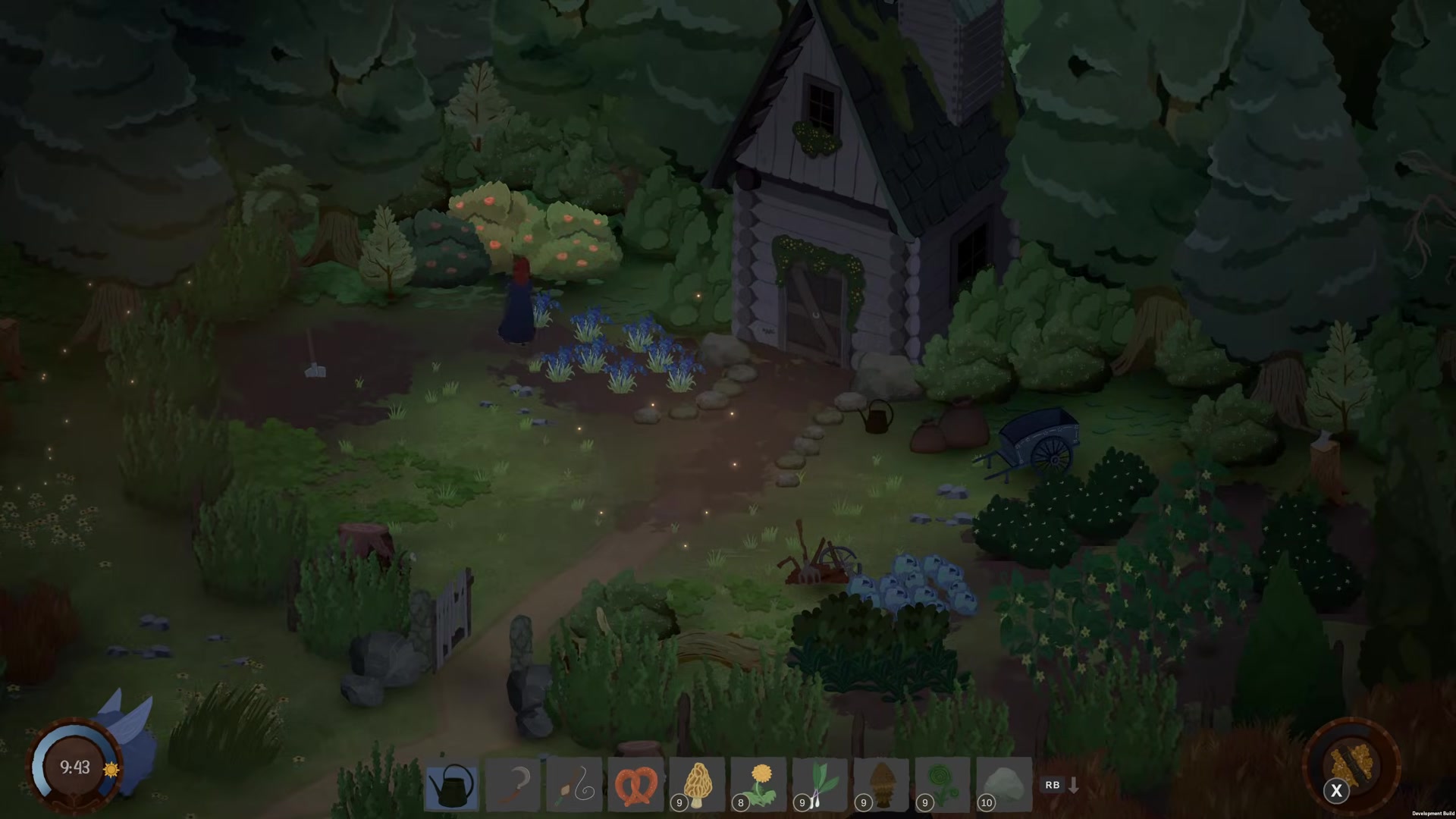
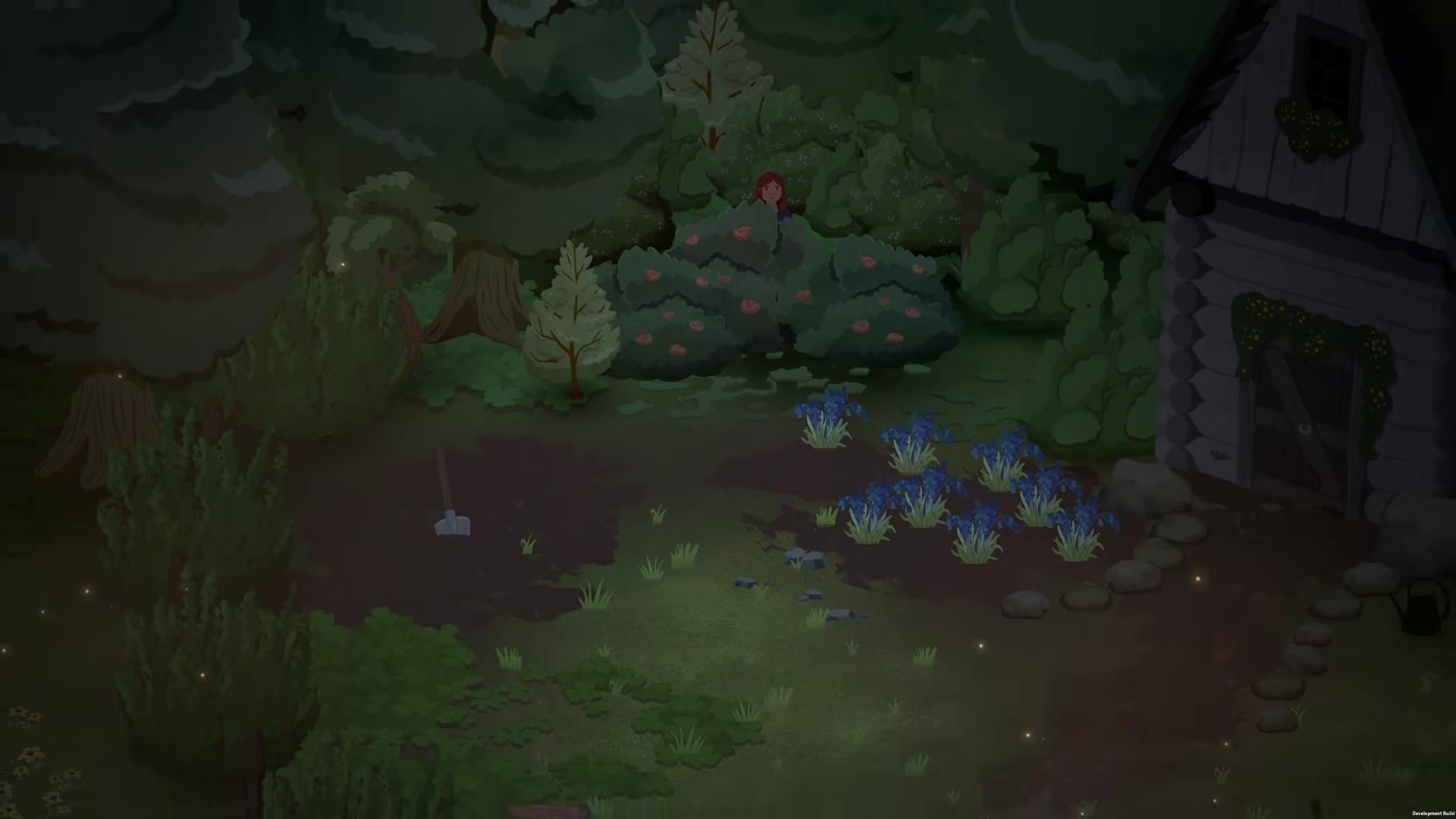
Click the rose bush at the upper left of Linden’s garden and choose the option to wait in it. Simply standing behind the bush does not select that interaction. The launch-week answer suggests checking after 9 PM, but describes that opening time from memory.
This solves the stage where you have agreed to watch for the tool thief. In the original question, the player waited from the afternoon until late without noticing the bush option; they thanked the reply that pointed it out.
Find and use the rose bush
- Return to Linden’s garden at night with the watch-for-the-thief objective active.
- Look above the cultivated soil, to the left of the house, for the pink-flowered bush in the image below.
- Interact with that bush and select the waiting option. On keyboard and mouse, the source reply says to click the bush; on a controller, follow the current interaction prompt.
- Check that the character takes the hiding position and the camera begins the watch scene.
After the waiting scene
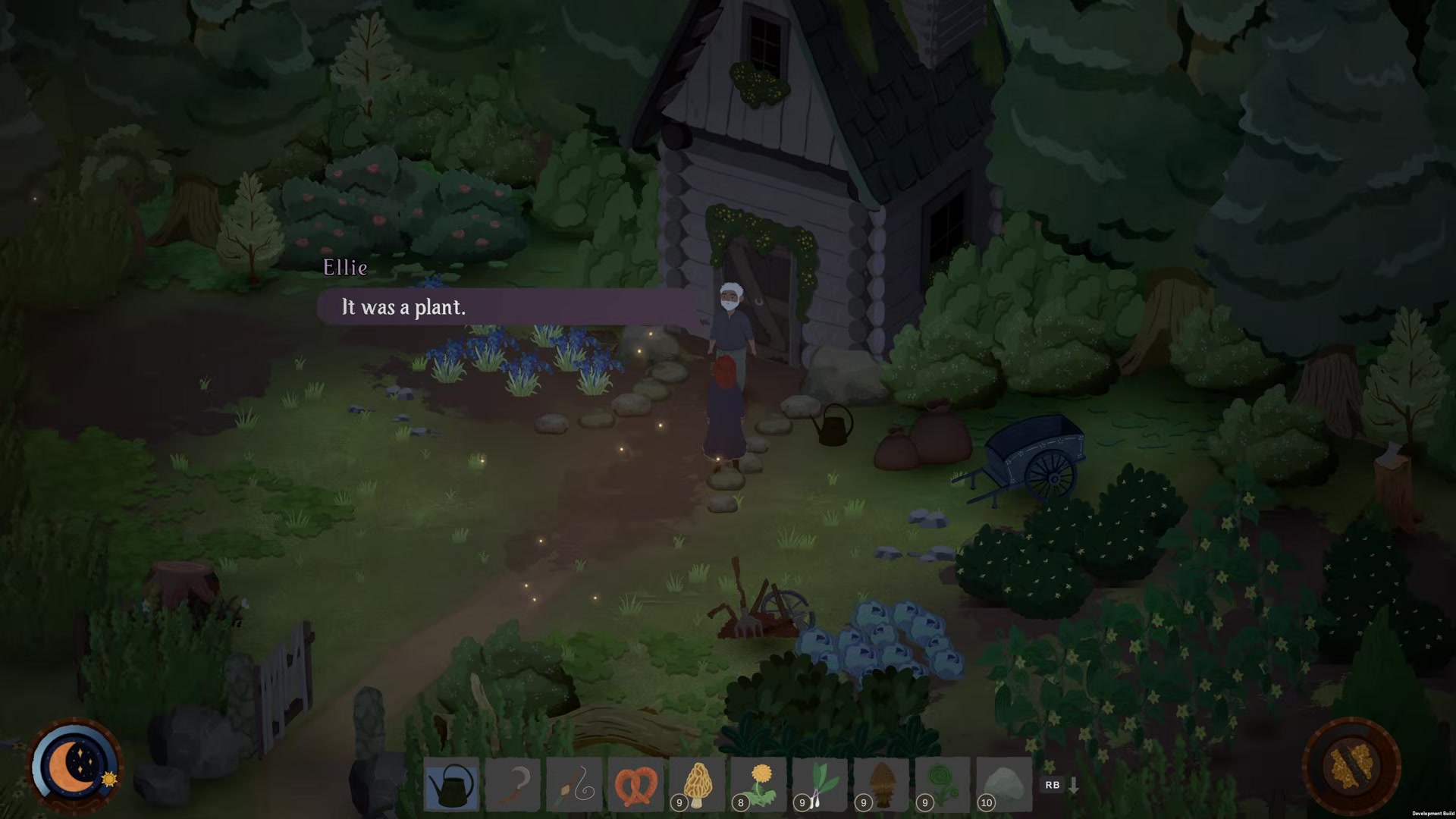
Watch the scene, then speak to Linden about what you saw. The video shows that follow-up conversation and points the player toward investigating at school; it does not show the entire later investigation here.
Show the culprit and follow-up image (spoiler)
The recorded scene reveals one of the plants taking a tool. The creator identifies the plants as goblin bluebells; the following conversation tells Linden what happened.
If the waiting option does not appear
- It is still afternoon: return after 9 PM and check the bush again. The forum’s suggested time is not an independently tested cutoff.
- You are standing nearby: select the bush itself and inspect its options.
- The watch objective is absent: check your conversation with Linden and the journal before expecting this scene.
- The correct option still fails at night: the sources do not establish a universal bug fix. Record the journal stage, clock and game version when reporting it.
If you are still trying to reach the fields beyond town, the southern route and shell-shop section shows the nearby progression landmarks.
Version and sources
Checked 3 October 2026. The Steam thread supplies the interaction advice and the questioner’s acknowledgment; it does not state a build number. Images and the follow-up scene are from The Cozy Gaming Club’s 30 September video, marked Development Build and recorded with a supplied key. Reviewed footage, not our own playtest. Game imagery © Eastshade Studios.