Jump to a step
Your goal
Turn the overgrown garden into your first planted, watered plots. Start after your first night at the academy, with your flute. This route ends before harvesting.
Based on the second-day sequence in The Cozy Gaming Club’s Demo playthrough, with later developer updates noted below. Button labels in the footage use a controller.
Before you start: finish enrollment, collect your flute and sleep in your dorm. If you have not reached the morning letters yet, follow the first-day walkthrough. Read Clary’s campus-work letter before looking for her office.
1. Find Dean Clary
Read Clary’s morning letter. From the dorm hall, go upstairs and enter the smaller door between the statues. Speak to her about campus work until she assigns the botanical garden.
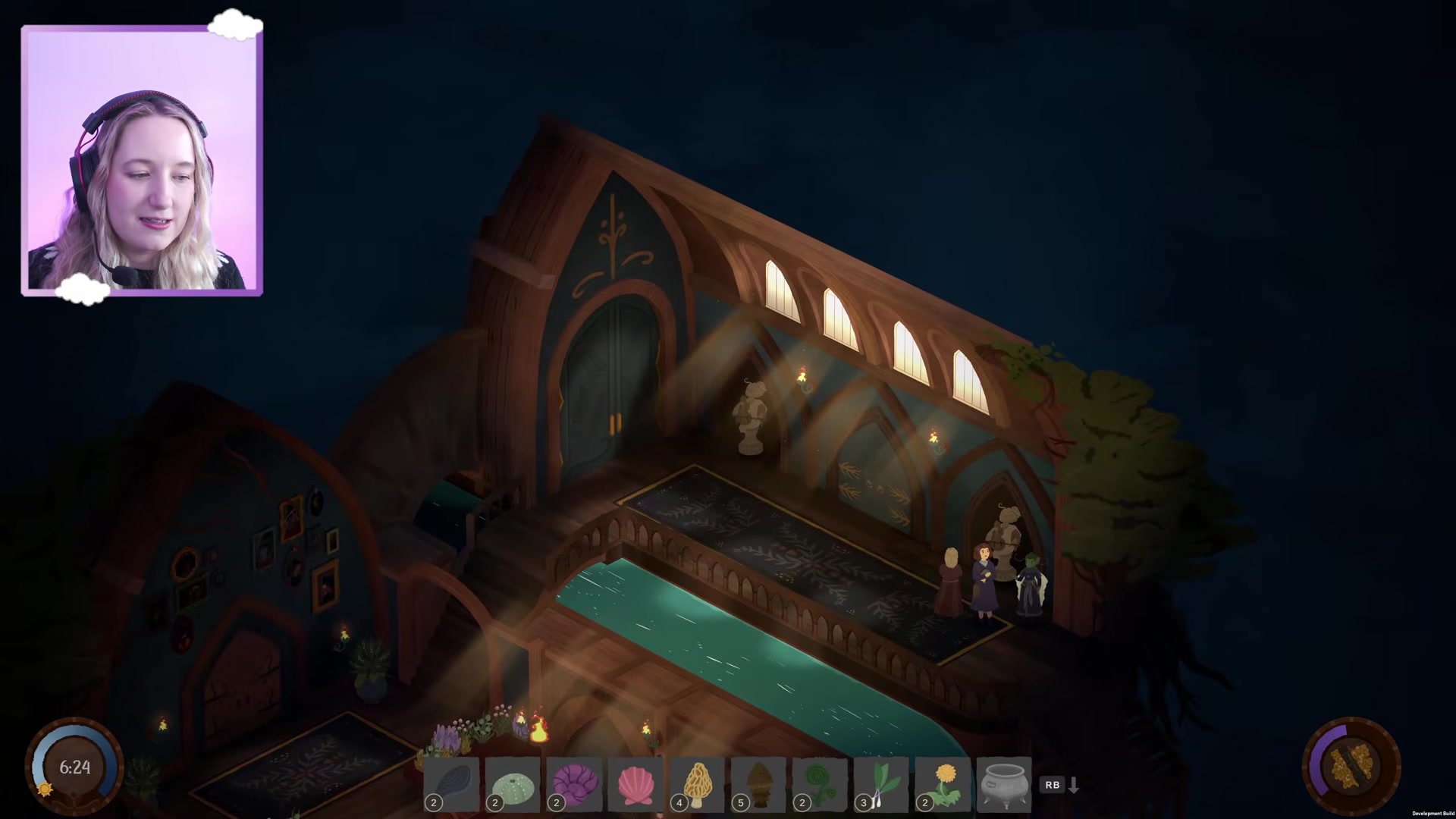
Before moving on: finish the job conversation so that Clary directs you to meet her at the garden.
Watch the letter and office visit · 40:242. Reach the garden
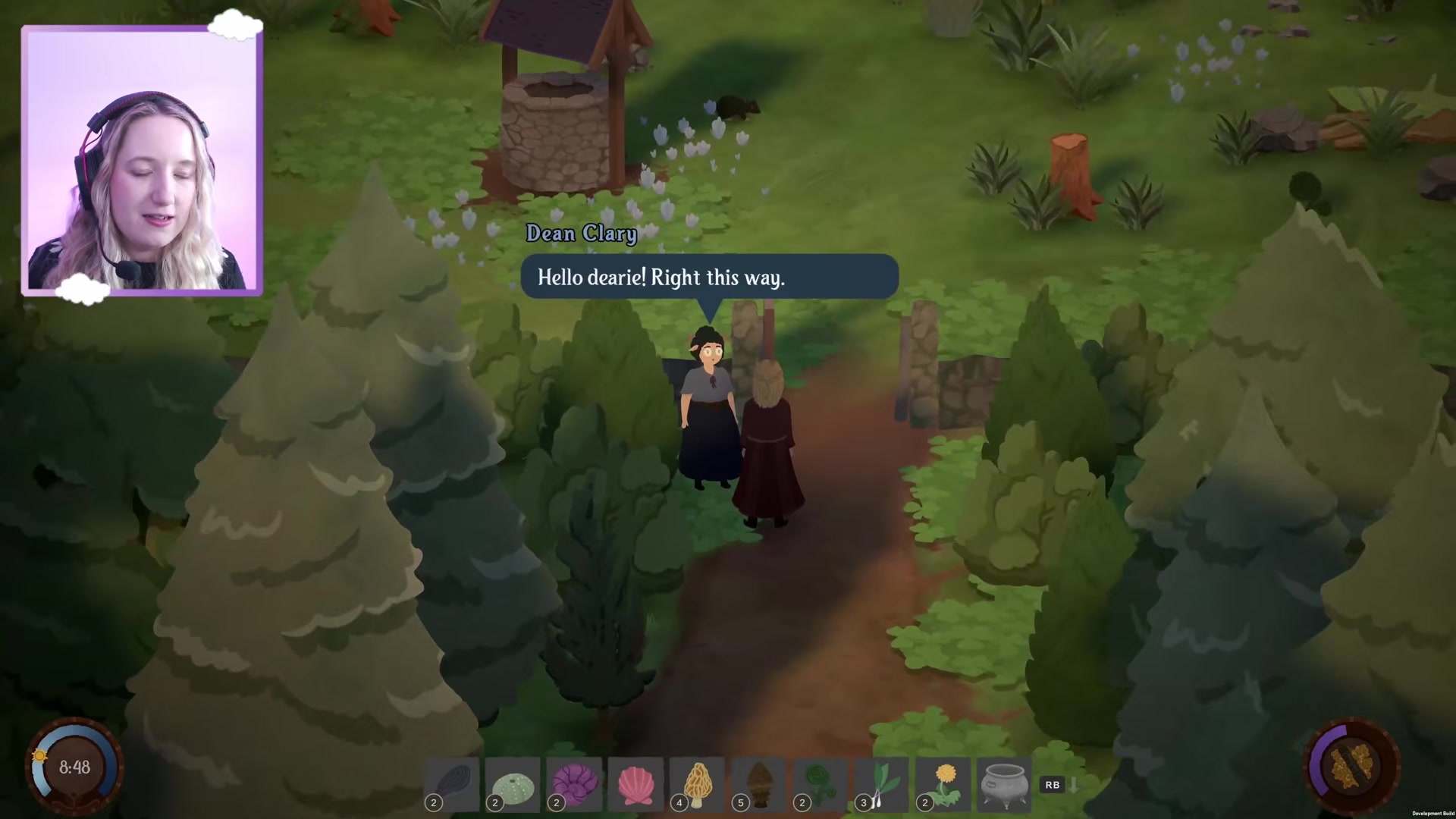
Take the lane from campus toward town. Enter the garden through the stone gateway beside the well, meet Clary, and follow her inside.
3. Learn the tilling spell
Clary gives you the Song of Tilling. Open its songbook entry, enter flute mode, and play the displayed notes from bottom to top. The recorded controller prompt is RT.
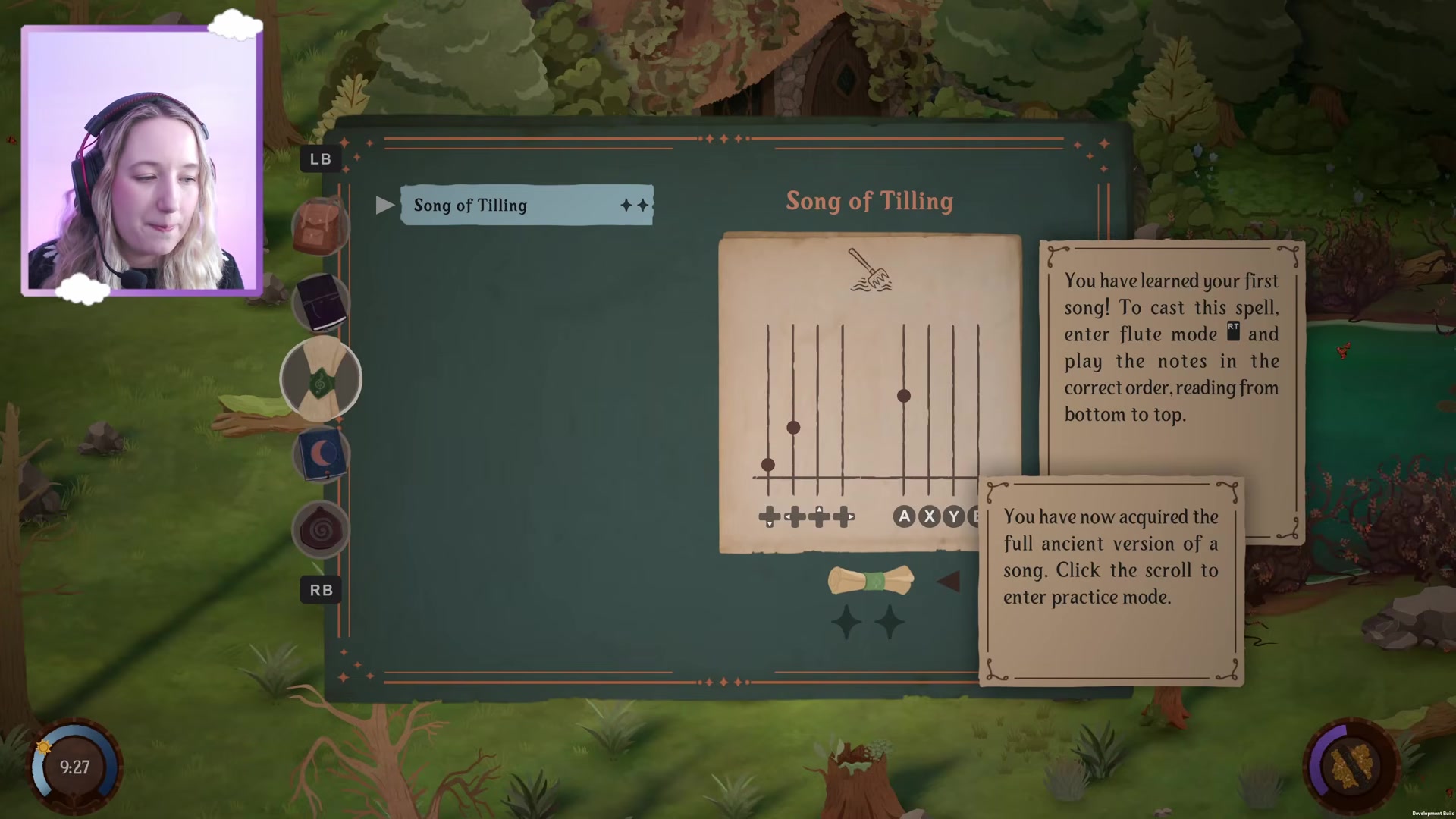
You do not need music stars to cast. Demo 0.466 explicitly confirms this; 0.484 reiterates that the music minigame is optional. The older video spends time earning a star for its quick-cast option. That is a different step from casting the spell itself.
The spell opens targeting mode. The developer’s later casting explanation confirms that you must select actions before confirming the queue.
4. Make small planting plots
Finish Clary’s conversation to receive seeds. Pick up the watering can beside the hut. In tilling mode, choose the seed-packet plot type rather than the tree type, select small plots, then confirm.
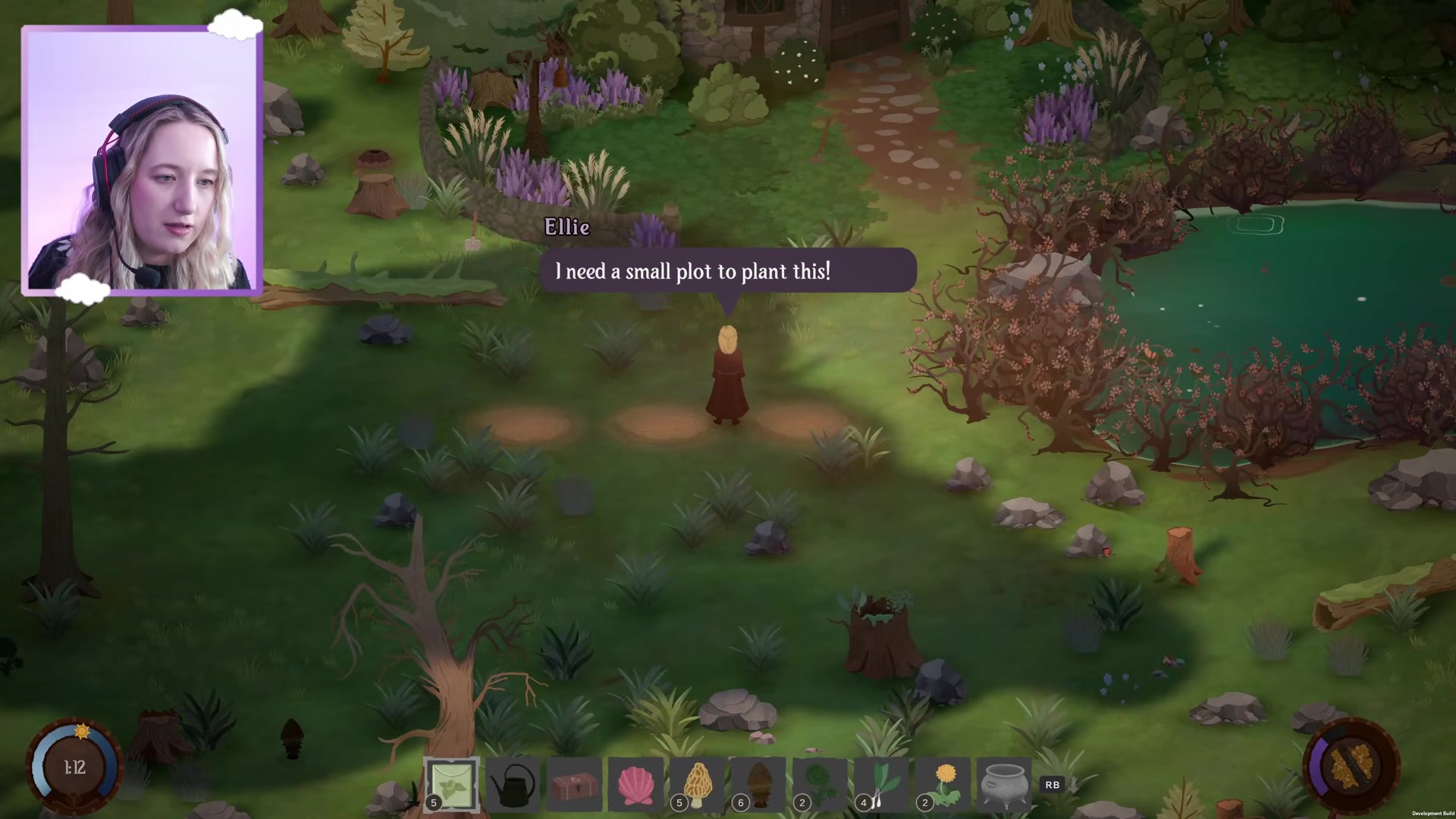
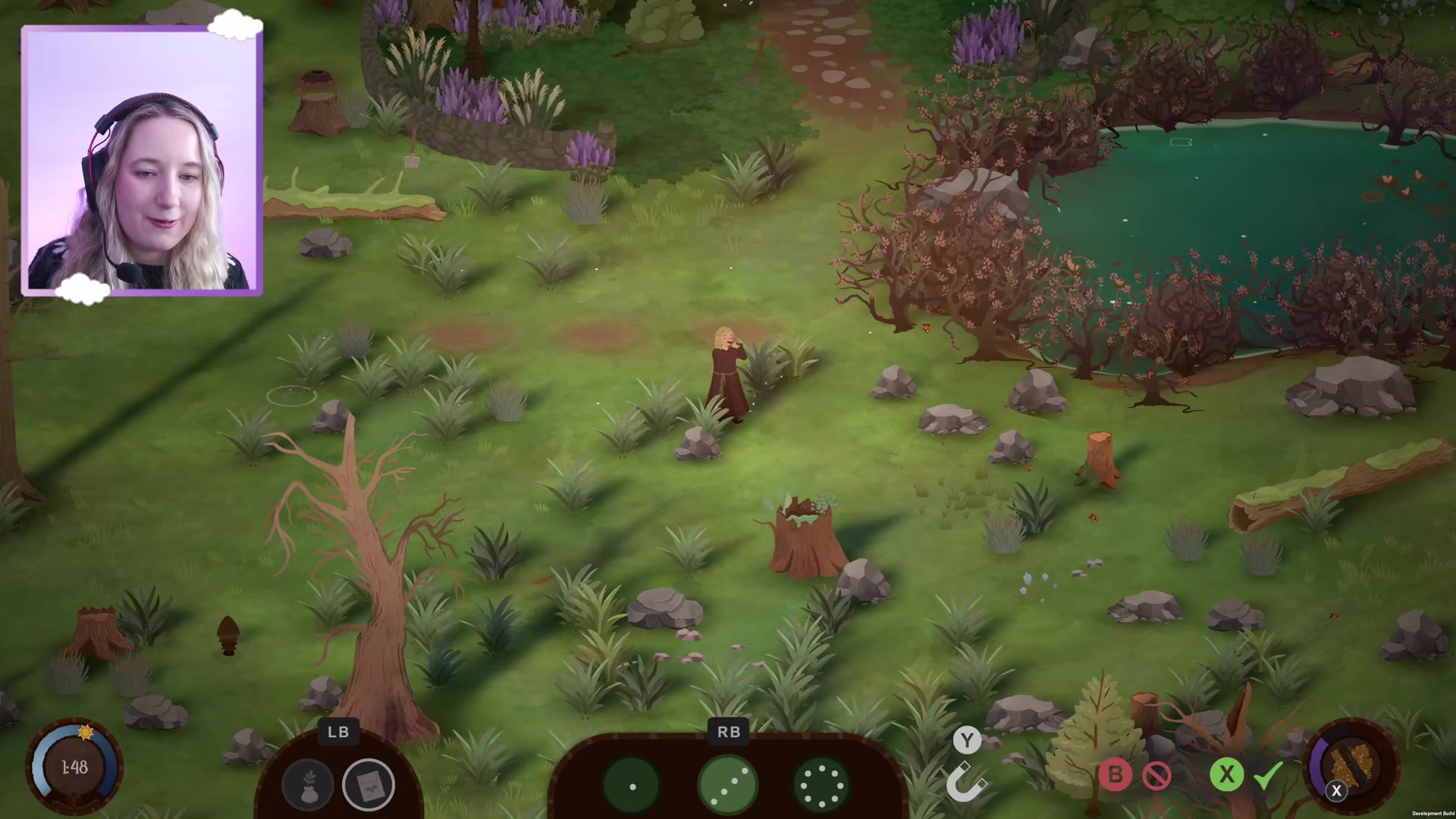
The wrong type produces “I need a small plot to plant this!”. Select the small-plot type before trying the seeds again.
Check the targeting screen: choose the seed-packet icon, mark the ground you want the hoe to work, then confirm the queued actions. Changing the placement pattern alone is not the same as changing the plot type. Wait for the hoe to finish before planting.
Launch-week confirmation, 4 October: the player asking why basil still says it needs a plot on tilled ground reported starting with the large plot size and succeeding after changing it. Their reply calls the working setup a row layout; the footage above distinguishes the small-plot type from the pattern used to arrange it. This is a player report, not a new full-release playtest.
5. Plant, fill, then water
Equip the seeds and plant them in the small plots. Check for the light seed marks on the soil: empty tilled ground is not yet planted.
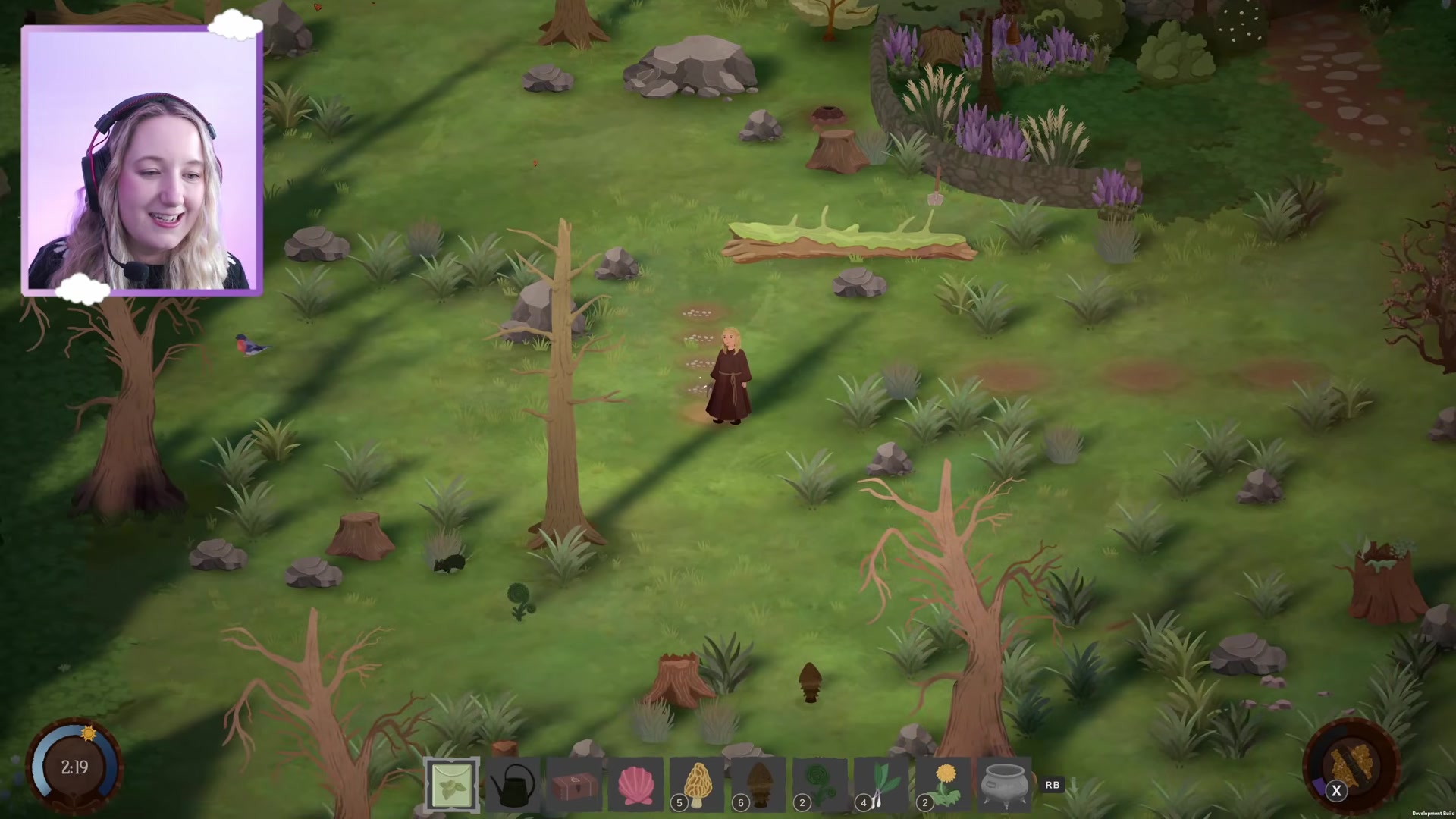
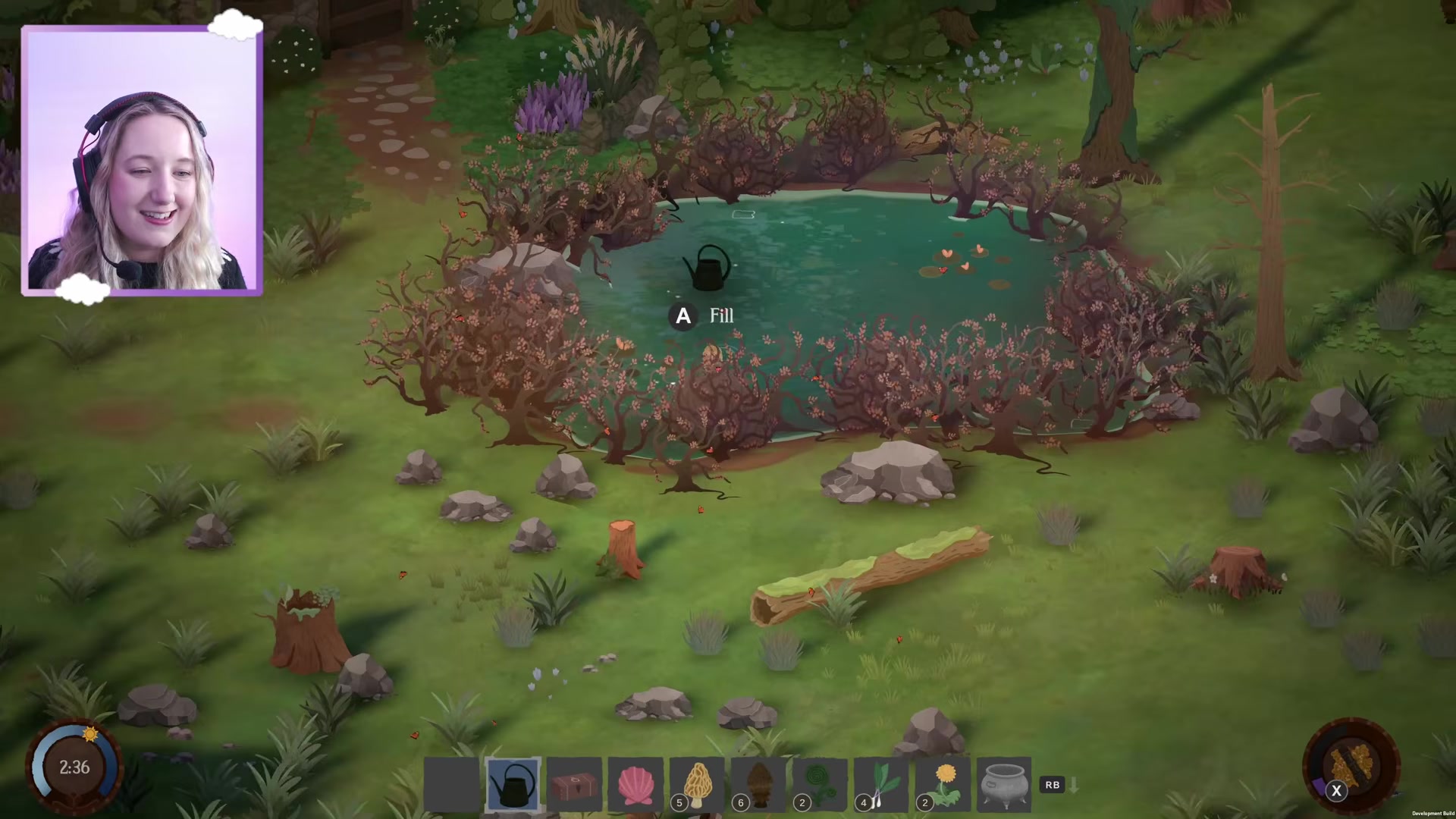
Equip the watering can, approach the pond, and use Fill. Return to water each planted plot.
Keyboard and mouse, launch-week answer: right-click the watering can in your inventory bar to equip it, then left-click the plant or soil to water. Right-clicking the soil is not the watering action. The player asking “Help Please with Watering Plants” marked this reply as the solution.
Finish check: seeds are visible in the small plots, and watering darkens their soil. Watch the watering result · 56:30
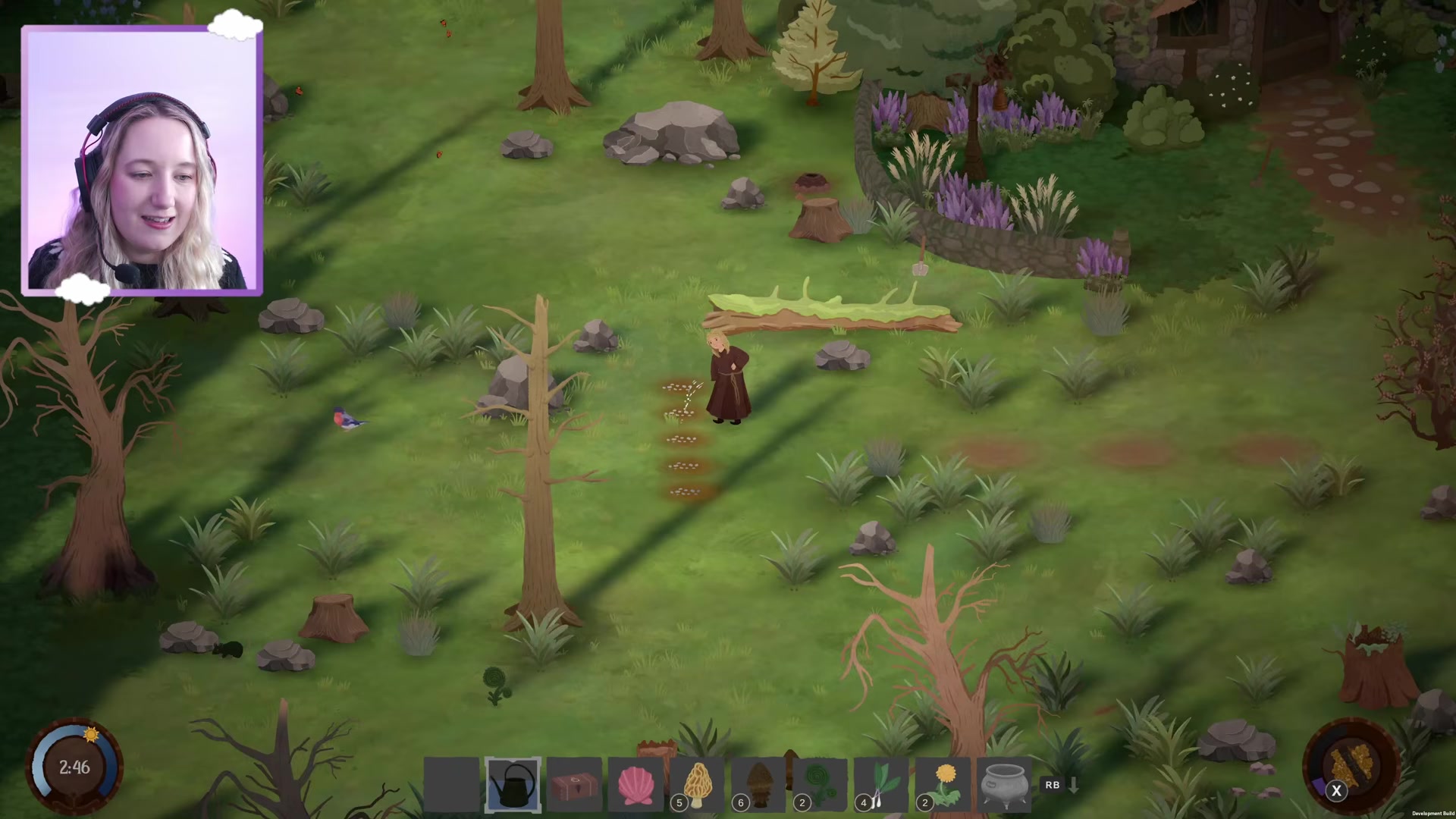
This planting stage is complete when your small plots contain seeds and each planted plot has been watered. That does not mean the basil is ready to harvest or the later hand-in is complete.
You can leave the tools working
Queue the actions, then go about other business. In a launch-week reply about slow garden tools, Eastshade Studios confirms that you do not need to stand watching each tool. This is intended behavior, not a requirement to hold the spell open until every action finishes.
If nothing starts at all, check your selected targets and confirmation first. Casting and targeting help covers that separate problem. For grass you want to cut yourself, see scythe controls and pond planting.
Why the well does not pay immediately
Goods placed in the garden well are paid for the next morning. A launch-week answer marked as solved distinguishes this from selling to a town shop, where the player receives money immediately. The well lets you drop off items without another trip to town.
Keep the three basil clippings Clary requested separate before selling your harvest. To divide a stack first, use the inventory split controls. The original garden dialogue also describes overnight compensation; no crop-value or growth-time table has been verified here.
Remove cobblestone paths — or check why they disappeared
Patch 1.01 makes cobblestone paths mineable with a pickaxe. If you deliberately want to remove an unwanted path, update to that version and use the pickaxe on the path. The official notes do not extend that change to every kind of furniture or confirm material refunds.
Update to 1.02 if placed cobblestone paths disappear. The official patch fixes that regression. This supersedes the earlier “still investigating” status; the note does not promise restoration of every previously missing path.
- Let Steam finish the update, then revisit the affected garden and inspect the paths.
- Before rebuilding, check whether the existing path returns. Pre-1.02 players reported overlapping layers after replacing invisible paths.
- If disappearance continues on 1.02, record your version and whether it happens after sleep, saving or entering the garden. The old reload workarounds were inconsistent.
Need chamomile after spring?
For the Fairy Ring material request, a player who bought chamomile out of season points to the merchant behind the waterfall in town. Check that stock before assuming you must wait another year. This is a community lead; the reply does not establish prices, restock timing or a complete Fairy Ring walkthrough.
What comes next
Once you are gathering ingredients for Dee, the blueberry bun guide shows how to use water and flour, combine berries with dough, and collect the baked result. If backpack space is the next obstacle, read the garden chest lead before discarding crafting materials.
For the separate night-time investigation at Linden’s garden, use the Tool Thief waiting guide. Standing beside the bushes is not the same as choosing its waiting interaction.
Clary asks for three basil clippings later. Keep that request separate from this planting sequence. See the request.
Clary also gives the woodcutting song during this introductory conversation, before the recorded player hands in any harvested basil. See the song handoff and dead-tree targeting images. This page does not establish the harvest time or the basil hand-in reward.
If you get stuck
Basil says I need a plot, but the ground is tilled
Check the plot type: large tree plots do not accept these seeds. Use the seed-packet small-plot type, confirm the tilling queue, and wait for the hoe to finish before planting. Compare the plot-type screenshots and the launch-week player report.
The spell plays but nothing is tilled
Select ground first, then confirm the queue. The developer explains that confirming without selecting submits no commands. Check casting and controller prompts.
The cursor will not move on controller
A September developer reply says right stick; the older July reply says left stick. Use the newer advice and your current on-screen prompts. These sources do not resolve every controller failure.
The watering can is hidden
Stand near where it was dropped and try Space on keyboard, as suggested by the developer. Recover a hidden watering can.
A dead tree is in the way
Use the Chant of the Woodcutters on a dead farm tree. The developer confirms that no separate axe item needs to be found first.
Version and evidence
Updated 5 October 2026. The PC Demo route and images come from The Cozy Gaming Club’s 2 April video, whose footage is marked Development Build. This is not our own playtest or a newly recorded full-release walkthrough. Launch-week additions are separately identified: queued work is developer-confirmed; watering controls, well payment timing and the basil plot follow-up are player answers. Patch 1.01 adds cobblestone mining; 1.02 lists a fix for disappearing placed paths. Older overlap and reload reports describe the pre-fix problem. The out-of-season seed lead is a player report. Later Demo patch notes qualify the older minigame advice. Game imagery © Eastshade Studios; video frames attributed to The Cozy Gaming Club.