Jump to a step
Short answer
With the rod equipped, left-click the water near fish or bubbles. Click again when an exclamation mark appears. That starts the fishing minigame, where you click in time with its prompts.
This is the keyboard-and-mouse sequence described by players answering “How do I fish?” after launch. It starts with a rod already in your inventory.
From cast to minigame
- Equip your fishing rod.Select the rod as your active tool before attempting to cast.
- Find visible fish or bubbles.The reported casting targets are in a pond or the ocean. Left-click the water near them.
- Watch for the exclamation mark.Click again when it appears; this is the transition into the minigame.
- Follow the timing prompts.A second player describes repeated timed clicks, rather than playing different flute notes.
Check your progress: if the exclamation mark appears and your next click starts the minigame, you have reached the reported catching stage. These sources do not establish the exact timing window or the score needed for each fish.
Buy the fishing rod at the shell shop
In a separate launch-week thread, a player directs people to Mel’s Shell, south of Wick, after clearing the obstructing bushes. Another reply says access is behind a side quest.
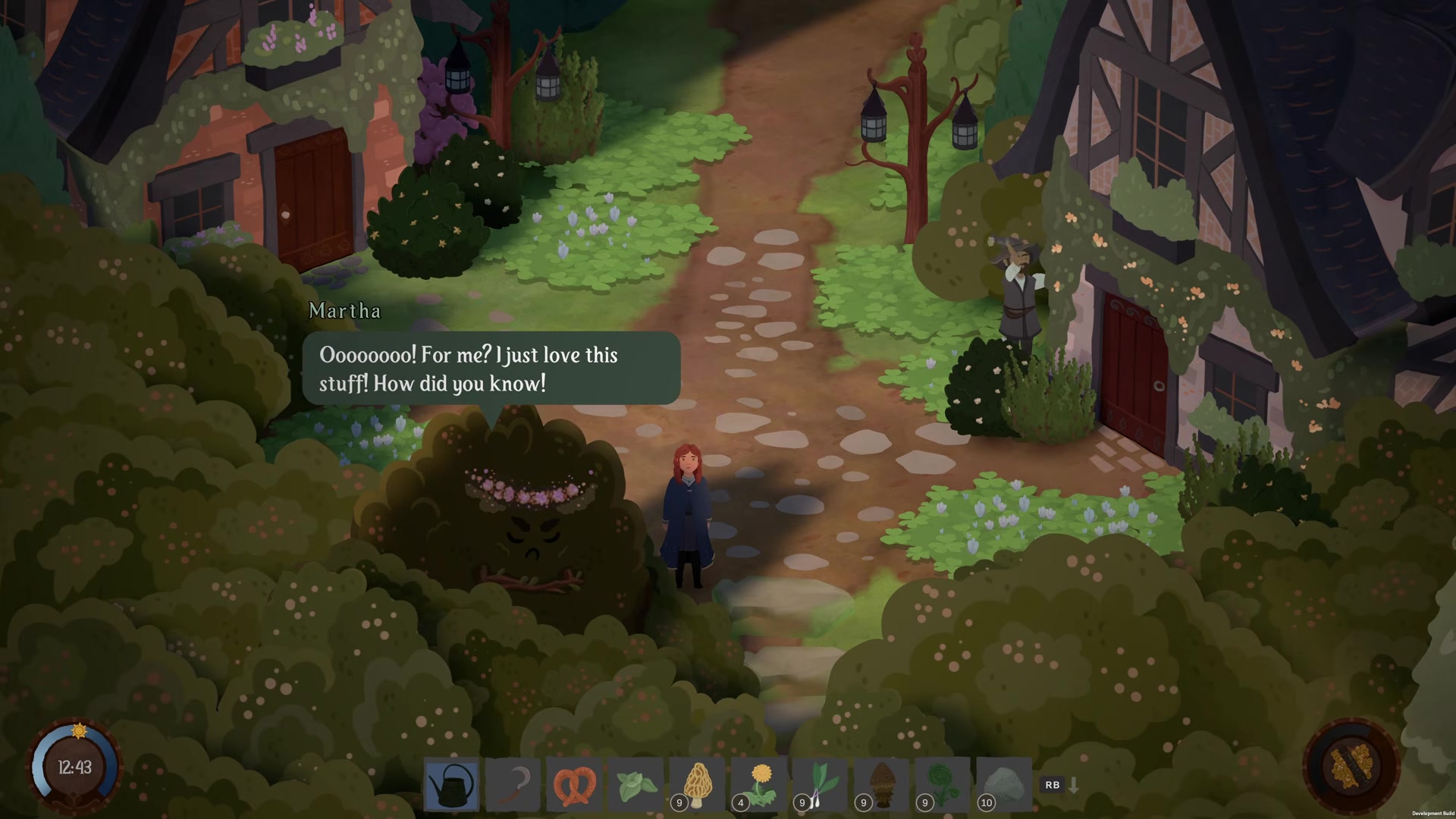
The Cozy Gaming Club’s 30 September video fills in that route: the player completes the sentient shrub’s potion request, explores beyond the bushes, then descends stone steps to the beach shop in a giant shell.
- If the southern route is blocked, follow the sentient shrub’s request first. The footage identifies the shrub as Martha; this guide does not establish her potion’s quality threshold or a full brewing recipe.
- Beyond the bushes, look for the stone steps down to the beach and the large pink shell house. Speak to the merchant there and open the shop.
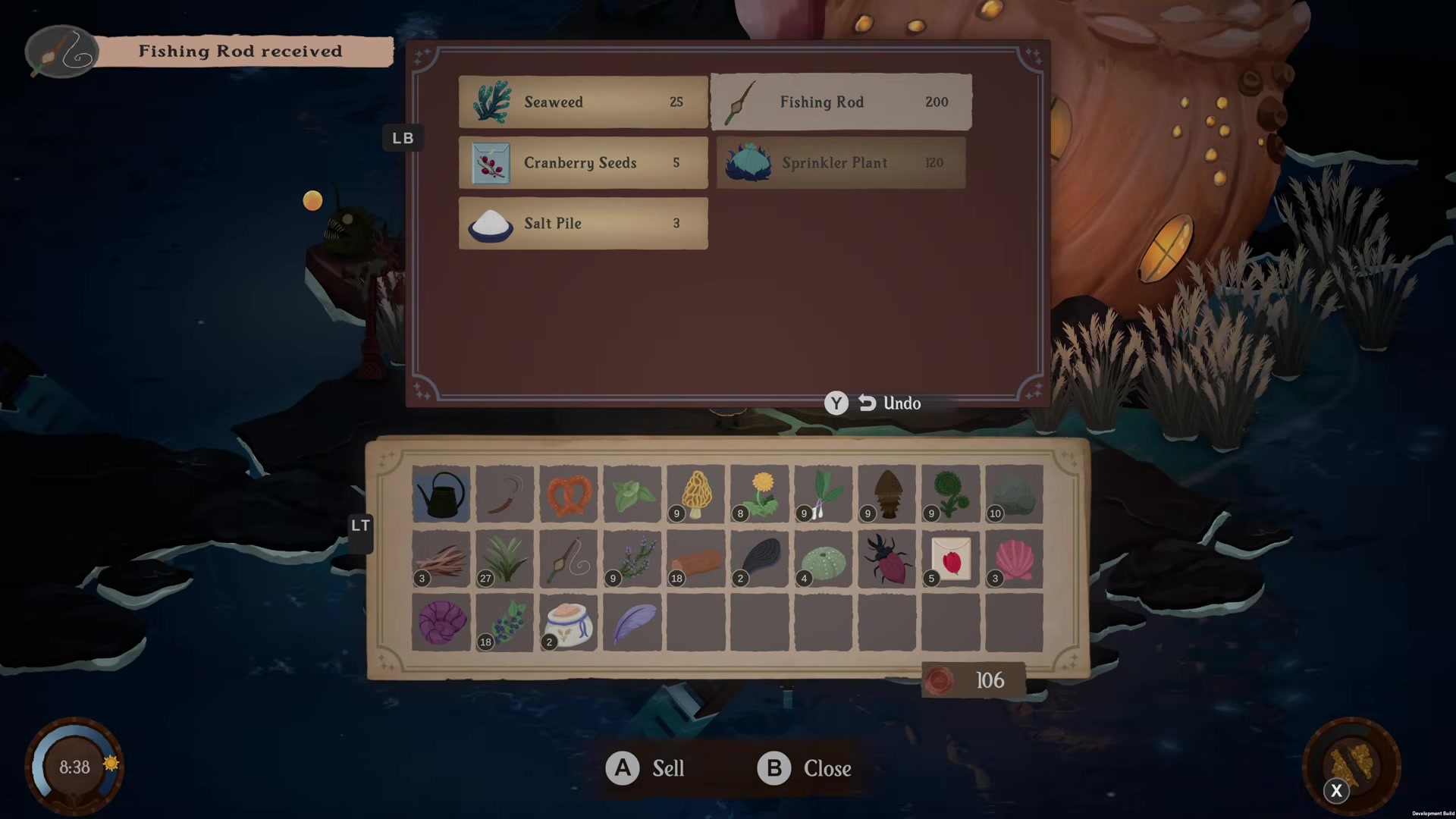
- Select the Fishing Rod and check the price in your build. The recorded menu lists 200; it is a Development Build price, not a verified 1.01 price.
- After buying, check that the rod appears in your backpack. The footage shows a Fishing Rod received notification and the balance changing from 306 to 106.
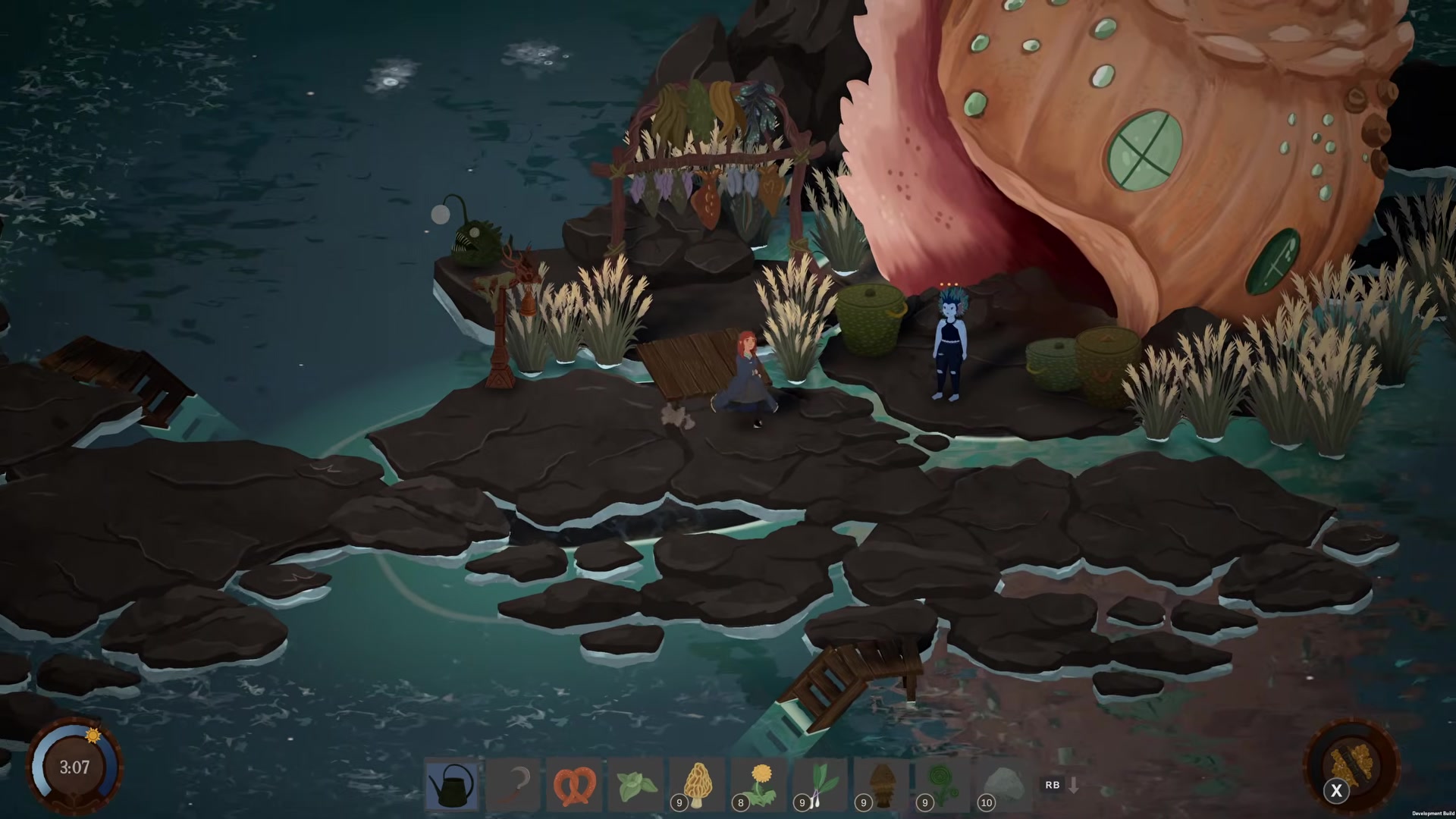
For a later quest in the same area, the Lighthouse Keeper dark-water answer uses this shell house as its starting landmark.
The fishing target does not appear on controller
After switching between controller and mouse/keyboard, check that you have 1.09 or later. The official 1.09 notes list a fishing issue when switching input methods. They do not say every missing target on Steam Deck is resolved.
In an October 29 follow-up, a Steam Deck player reports that their target still would not appear with the stick, while changing to mouse input let them catch two fish. Another player suggests targeting a visible school with the right stick; the affected player said that did not solve their case. These are individual reports with builds unstated, not a universal binding or confirmed fix for 1.09.
The original controls thread also reports a missing target circle with a controller. Mouse input is an alternative where available; the later player's success does not establish a permanent controller repair.
The reviewed controller footage uses the left stick to aim the cast. At 20:40–20:53, the creator describes equipping the rod, moving the left stick to choose a spot, then reacting to the bite sound. The recorded line lands offshore and the timing panel appears.
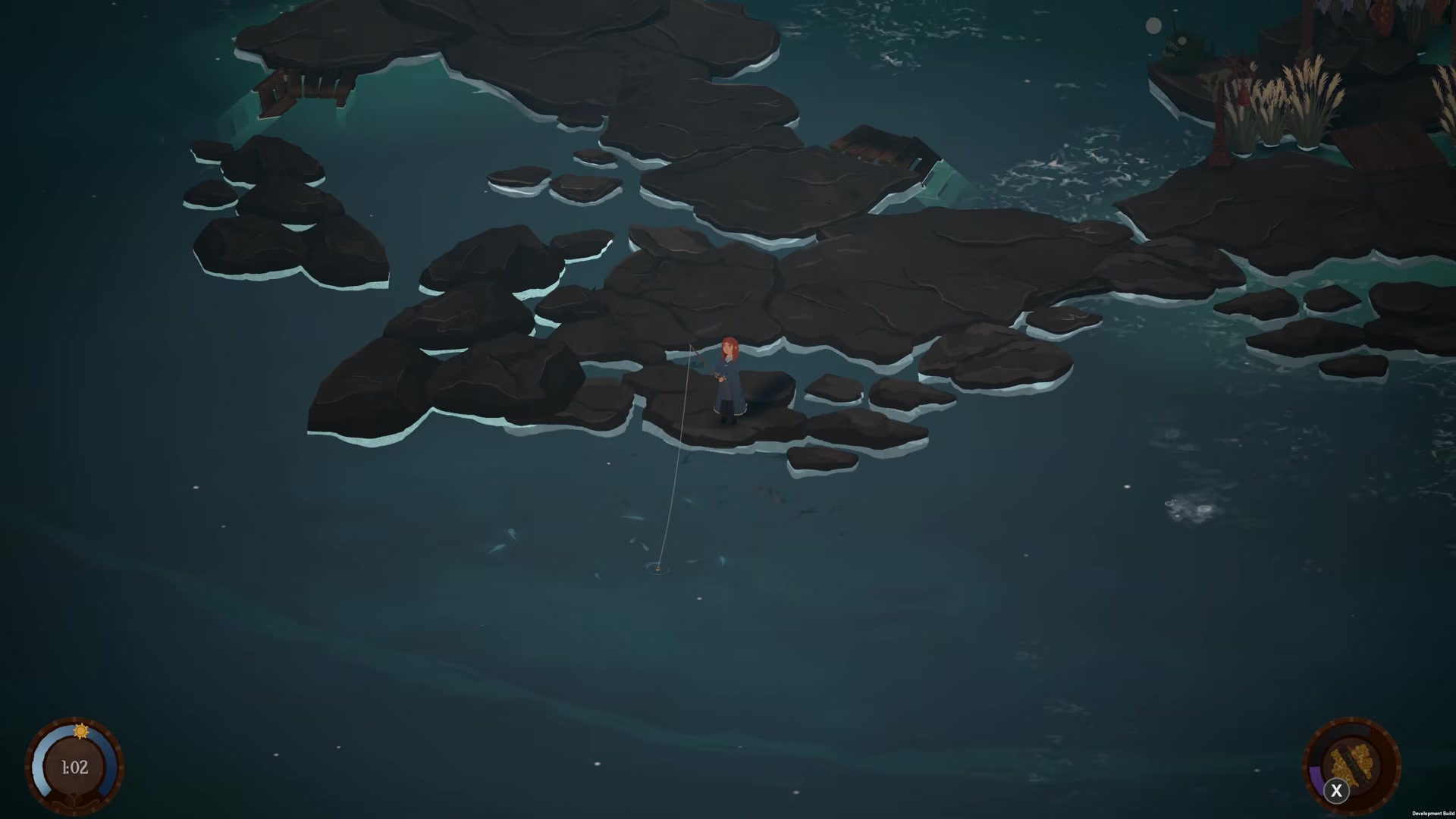
This supports a controller route in that footage; it does not prove that the reported missing-target bug is fixed. Use the fishing prompts in your current build and bindings, rather than copying the garden spell’s cursor controls.
The timing panel appears, but catches keep failing
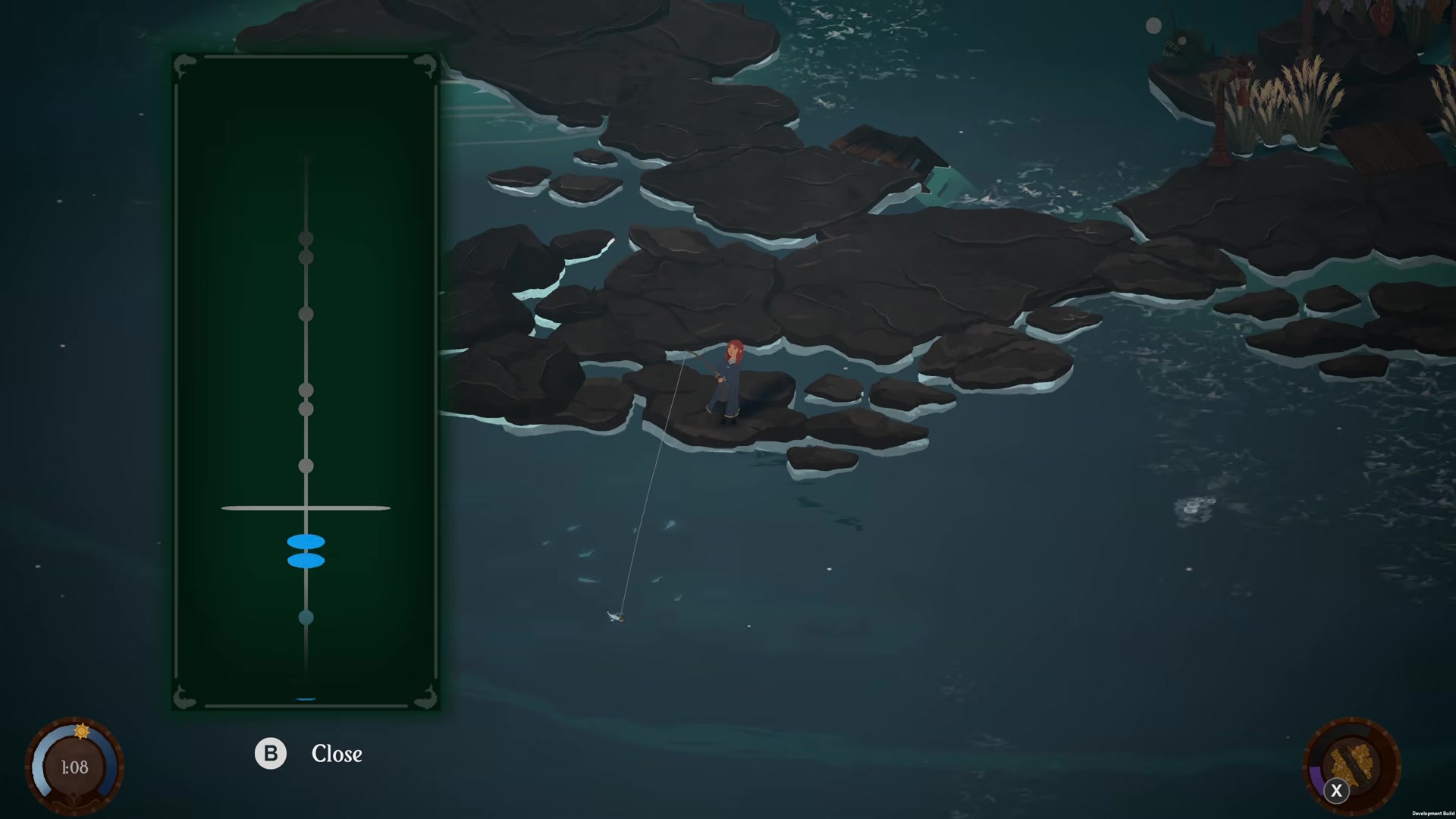
There is now an official fishing difficulty option. Version 1.04b adds an accessibility setting in Options to make the fishing minigame easier; 1.05 corrects its option name. Earlier replies saying there was no fishing help predate these changes.
- Update to 1.05 or later for the corrected option name.
- Open Options and look for fishing-minigame assistance. The notes do not state its exact label or submenu.
- Enable it and retry a catch. It reduces minigame difficulty; it is not a documented repair for input lag or a missing casting target.
Official feature checked 13 October 2026. No current settings screenshot or independent test of the timing window.
Florian will not take the fish through dialogue
Put the fish in the chest inside Florian’s house. In “Fish for Florian?”, the original questioner had tried bringing fish to him and chatting. They confirmed that the missing step was depositing them in his house.
- Catch a fish using the rod controls above.
- Go inside Florian’s house and interact with his chest.
- Deposit the fish there, then check your quest progress. Talking to Florian with fish in your bag is not the reported hand-in method.
If the chest used to work but now refuses deposits: a later player reports this exact failure, with no confirmed answer. The source does not identify allowed species, repeat-fish rules or the chest’s quest-stage restrictions. Do not assume catching more identical fish repairs it.
Original questioner confirms the chest step; the later deposit failure remains unresolved. Checked 8 October 2026, builds unspecified.
Quick transfer did not register Florian’s reward
Update to 1.06 before another fish hand-in. The official patch fixes the quick-transfer button failing to register Florian’s fish rewards. Deposit through his house chest as described above, then check your quest and reward state.
Already missed the Gilded Toadstool? Developer recovery command
The developer now provides a way to add the missing item. In the latest reply, marked developer, Eastshade Studios connects controller use to the likely quick-transfer bug and gives this recovery procedure for players who missed their gilded mushroom:
- Preserve a save backup first. This is our precaution before changing inventory, not a step stated in the developer reply.
- Press Home to open the console.
- Enter the command exactly as shown below and press Enter.
- Press Home again to close the console, then check your inventory for the added item.
GiveItem Gilded Toadstool 1The command adds one item. Use it for the missing reward described by the developer, rather than repeatedly entering it because the old quest notification does not replay. The reply does not say it restores quest history, automatically repairs other rewards or is required for everyone using a controller.
Developer instructions checked 14 October 2026; not independently executed here. No gamepad-only console binding or achievement impact is established. Version 1.06 fixes the transfer bug, while this command addresses an item already missed. Automatic retroactive delivery remains unconfirmed.
Version and sources
Developer reward recovery checked 14 October; official 1.04b–1.06 changes checked 13 October 2026. Original controls checked 3 October; Florian’s hand-in and difficulty replies checked 8 October 2026. Mouse instructions and current difficulty reports are community reports from PC launch-week Steam threads, without build numbers. Images and controller narration come from The Cozy Gaming Club’s 30 September video, marked Development Build and recorded with a supplied key. They are not our own gameplay test. The recorded 200 price and controller behavior have not been independently checked on 1.01. No catch-rate table or guaranteed bug fix is claimed. Game imagery © Eastshade Studios.